Account
Usernames and aliases
Change your RAGE.WTF username, how often you can, and how to add up to three aliases that open your page.
Your username is your main address, rage.wtf/yourname. Aliases are extra names that open the same page.
Name rules#
Usernames and aliases follow the same rules:
- 2 to 20 characters.
- Letters, numbers, dot (
.), underscore (_) and dash (-) only. - Not case-sensitive.
Nameandnameare the same, so only one account can use it, whether as a username or an alias. - A few words are reserved for the site, like
dashboard,pricing,leaderboards,docs,login,apiand single digits.
Change your username#
- In the dashboard, open Settings. Your Username is in the Account section.
- Type the new name.
- Click Save username.
Your page moves to the new address right away.
Your old name is held for 14 days#
For 14 days after a change, your old username stays yours:
- Links that use it redirect to your new address.
- Nobody else can take it. Only you can switch back to it (your normal change limit still applies).
- Settings shows the date the hold ends, under your username.
After 14 days the old name is free for anyone, and links that use it stop working. Update your links before then, or share your permanent rage.wtf/id/ link (see your page address). Each account holds one old username at a time: changing again ends the hold on the previous one.
How often you can change it#
| Plan | Wait between changes |
|---|---|
| Free | 7 days |
| Premium | 1 day |
- Your very first change has no wait.
- The wait counts from your last change. While it runs, the field is greyed out and says when you can change it again.
- Changing only capital letters (like
nametoName) is always possible, but it counts as a change.
Aliases#
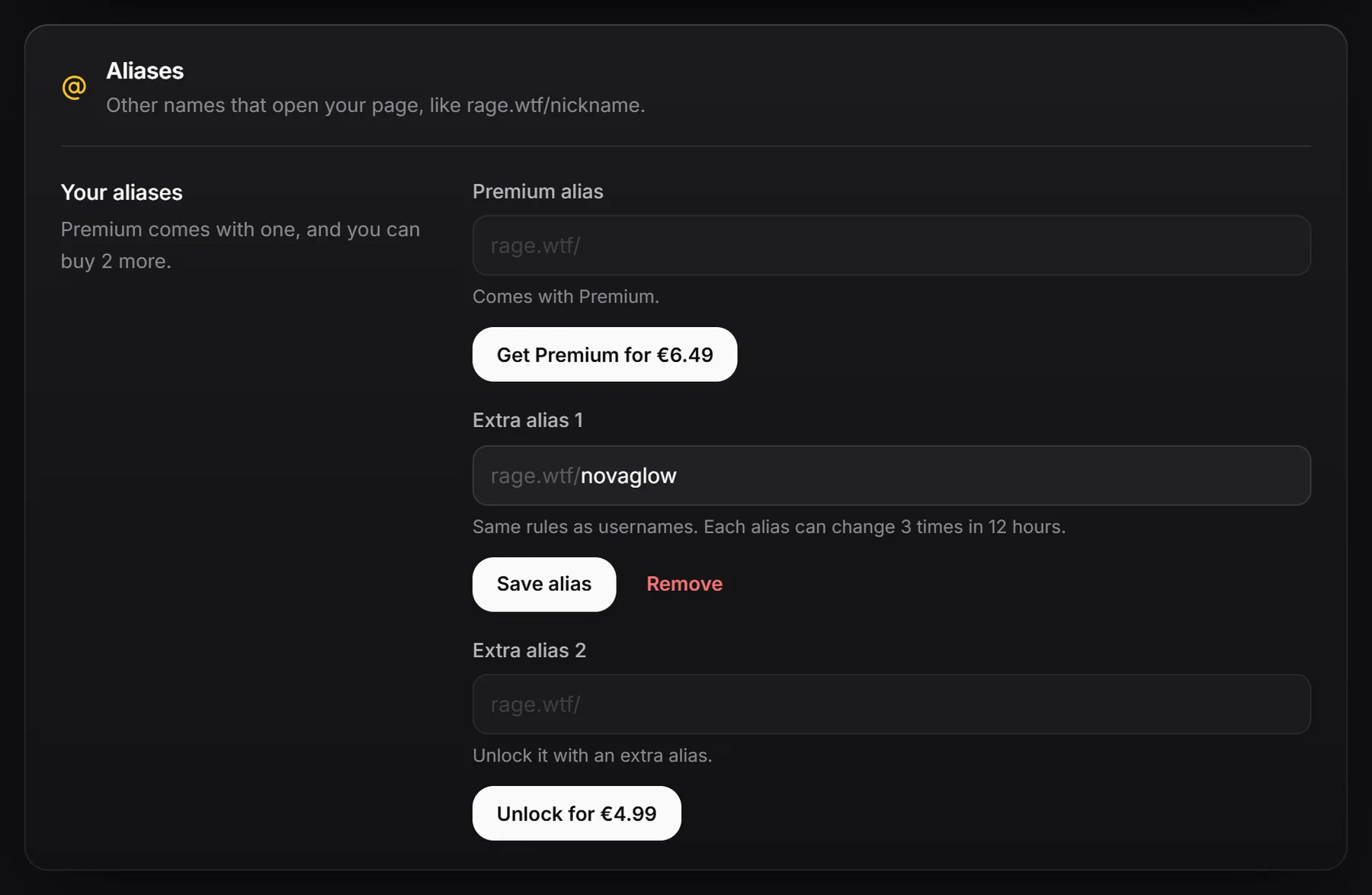
An alias is a second address for your page, like rage.wtf/nickname. It works on every domain and you can pick it as the link name when you share your page.
You have three alias slots in Settings, Aliases:
| Slot | How to unlock |
|---|---|
| Premium alias | Comes with Premium. |
| Extra alias 1 | Buy one extra alias. You don’t need Premium. |
| Extra alias 2 | Buy a second extra alias. |
Locked slots have a button to buy right there: Get Premium, Unlock or Unlock both when both extra slots are locked. You can own at most 2 extra aliases.
Add or change an alias#
- Open Settings, Aliases.
- Type the name into an unlocked slot.
- Click Save alias. You see “rage.wtf/nickname now opens your page.”
Each alias slot can be changed 3 times in 12 hours.
Remove an alias#
Click Remove, then Remove alias to confirm. You can always remove an alias, even from a locked slot. Like a username, a removed or renamed alias is held for you for 14 days: links to it redirect to your page and nobody else can take it. One old alias is held at a time.
If your Premium ends#
Your aliases keep working. You just can’t change an alias in a slot that is locked again until you unlock it. Removing it still works.
Common messages#
| Message | What it means |
|---|---|
| That username is already taken. / That name is already taken. | Someone else uses it as a username or alias. |
| This username is reserved. | It’s one of the site’s own words. |
| That is already one of your names. | It’s already your username or another of your aliases. |
| You’re doing that too often. | Wait the time shown and try again. |