Your profile
Comments and likes
How visitors comment on, heart, like and report pages, and how you pin and delete comments on your own page.
Every page has a comments button in the top right corner and like and dislike buttons in the bottom right corner. This page covers both, for visitors and for you as the page owner.
Read and write comments#
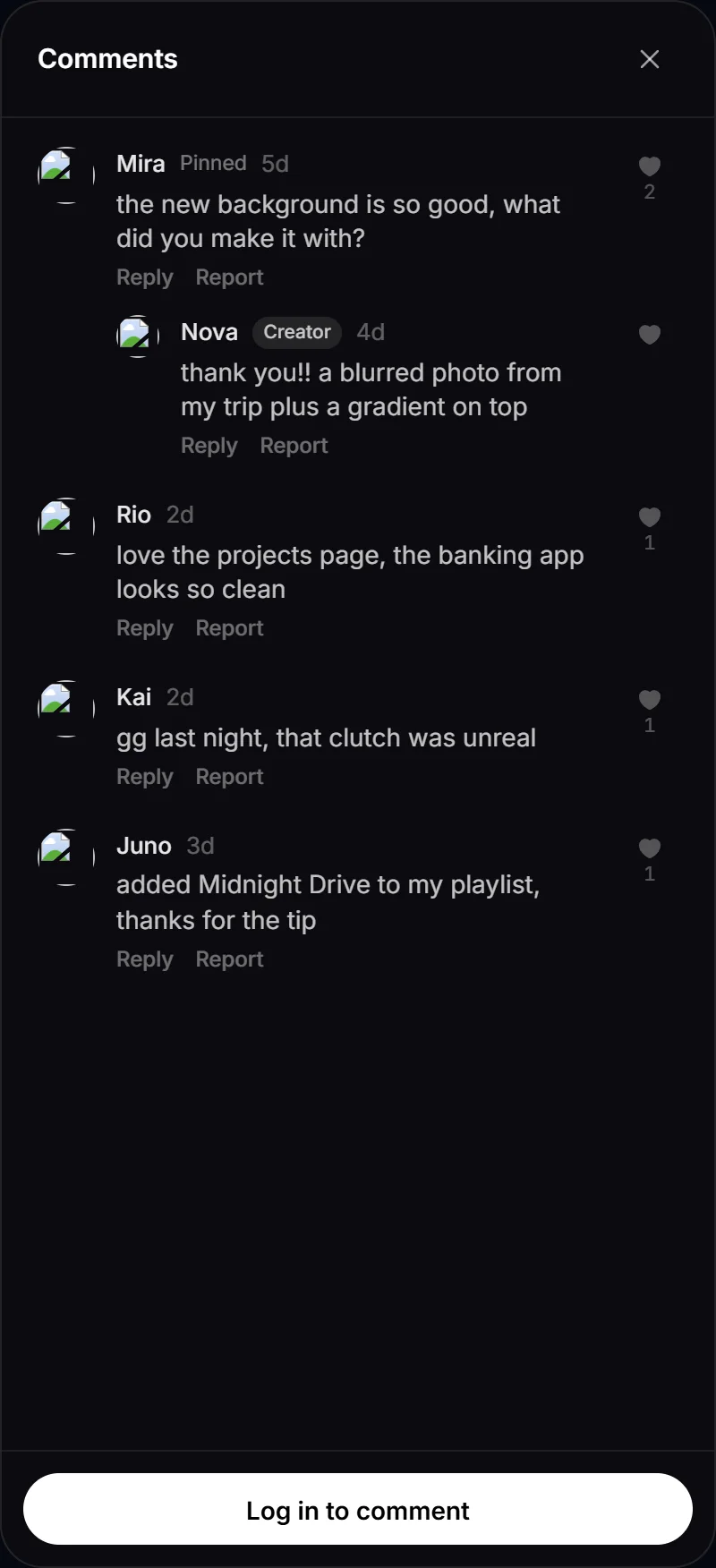
- Open someone’s page and click the comments button (it shows the number of comments).
- Type in Write a comment and press Enter, or click the send button. Shift+Enter adds a new line.
- Anyone can read comments.
- To post, you need to be logged in with a verified email address. Otherwise the panel shows Log in to comment or Verify your email to comment.
- A comment is 1 to 280 characters.
- The newest comments come first, 20 at a time. Click Show older comments for more.
Reply#
Click Reply under a comment. Replies stay in one thread under the first comment. If you reply to someone else’s reply, your reply mentions them (“Replying to @name”).
Heart a comment#
Click the heart on a comment or reply. You need to be logged in. One heart per account; click again to take it back.
Posting limits#
| Limit | Message |
|---|---|
| 5 comments per minute | “Slow down a little before posting again.” |
| 200 comments per day | “You’ve posted a lot today. Try again tomorrow.” |
| The same text on the same page within 10 minutes | “You already posted that.” |
Manage comments on your page#
On your own page you can:
- Pin one comment to the top. Pinning another comment replaces it. Only top-level comments can be pinned, not replies. Click Unpin to undo.
- Delete any comment or reply on your page. It asks you to confirm.
- See your own comments marked Creator.
Anyone can delete their own comments. A deleted comment that has replies stays as “Comment deleted” so the thread still makes sense.
Comments from the RAGE.WTF team are marked Staff.
To stop new comments, turn off Comments in Privacy. Your newest comments also show on your dashboard Home (see views and stats).
Like or dislike a page#
Click the thumbs up or thumbs down in the bottom right corner of a page.
- You need to be logged in. If you aren’t, you’re taken to the login page.
- One vote per account. Click the same button again to take your vote back.
- You can’t vote on your own page. You see the counts there instead.
Your latest likes and dislikes show under Recent feedback on your dashboard Home.
Report a page or a comment#
- To report a page, click the flag button next to the like buttons.
- To report a comment, click Report under it.
Pick a reason (Spam or a scam, Pretending to be someone else, Harassment or hate, Sexual or violent content or Something else) and add details if you like (up to 500 characters). You need to be logged in with a verified email address. Reports are anonymous: the person you report won’t know who sent it.
You can send up to 10 reports an hour. See reporting for more.