Templates
Using templates
Browse looks made by the community, preview one on your own page and apply it to your editor.
Templates are complete looks shared by other RAGE.WTF users. Applying one copies its style into your editor, and your own content stays yours. Nothing goes live until you publish.
Find a template#
In the dashboard, open Templates. The page has three tabs:
| Tab | What it shows |
|---|---|
| Library | Every public template. This is where you start. |
| Liked | Templates you gave a like. |
| My templates | Your own templates and copies, public and private. The tab shows how many you have and how many you can keep, for example “My templates 2/10”. |
Narrow the list with the controls under the tabs:
- Search names and tags finds templates by name or by any of their tags.
- The sort menu offers Most used (the default), Most liked, Newest and Most viewed. Most used puts featured templates first.
- The plan menu offers Free and Premium, Free only and Premium only.
- Featured shows only templates picked by the RAGE.WTF team. Featured templates also have a gold outline and a Featured badge.
- On the Library tab, a row of popular tags sits under the filters. Click a tag to filter by it, and click it again to remove the filter.
- Clear filters resets everything.
The list shows 12 templates per page. Use Previous and Next at the bottom to move between pages.
Read a template card#
Each card shows a picture of the template (on a phone, a phone picture if the author added one), its name and author. Badges on the picture tell you more:
- Featured: picked by the RAGE.WTF team.
- Premium: the template uses Premium settings. You can still apply and try it, but publishing those settings needs Premium.
- Private: only you can see it (you only see this on your own templates).
At the bottom you see how many times it was applied, how many views it has, and like and dislike buttons.
Like or dislike a template#
Click the thumbs up or thumbs down on a card or inside the template. You have one vote per template. Click the same button again to take your vote back, or click the other one to change it. Templates you like show up in the Liked tab.
Open a template#
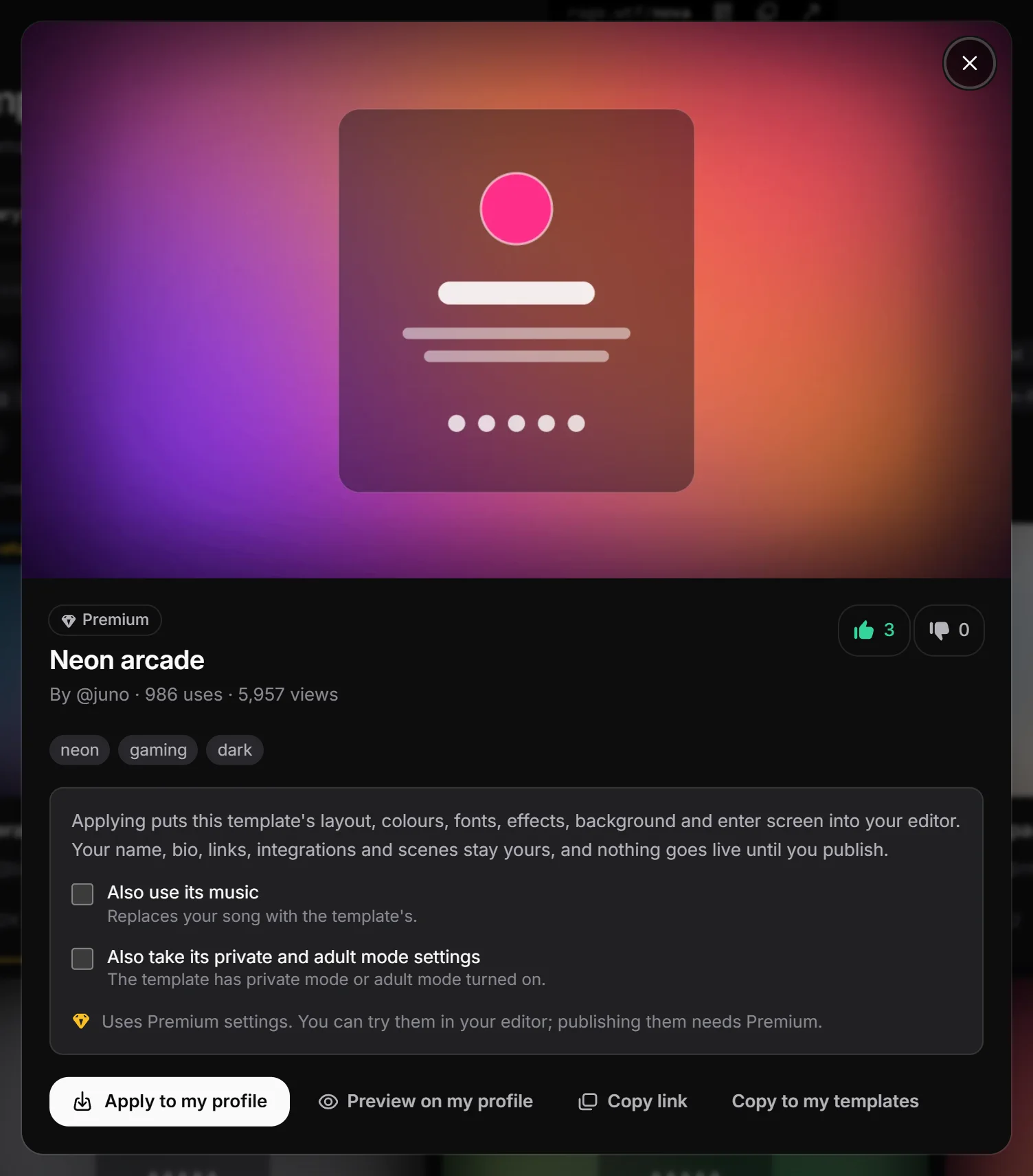
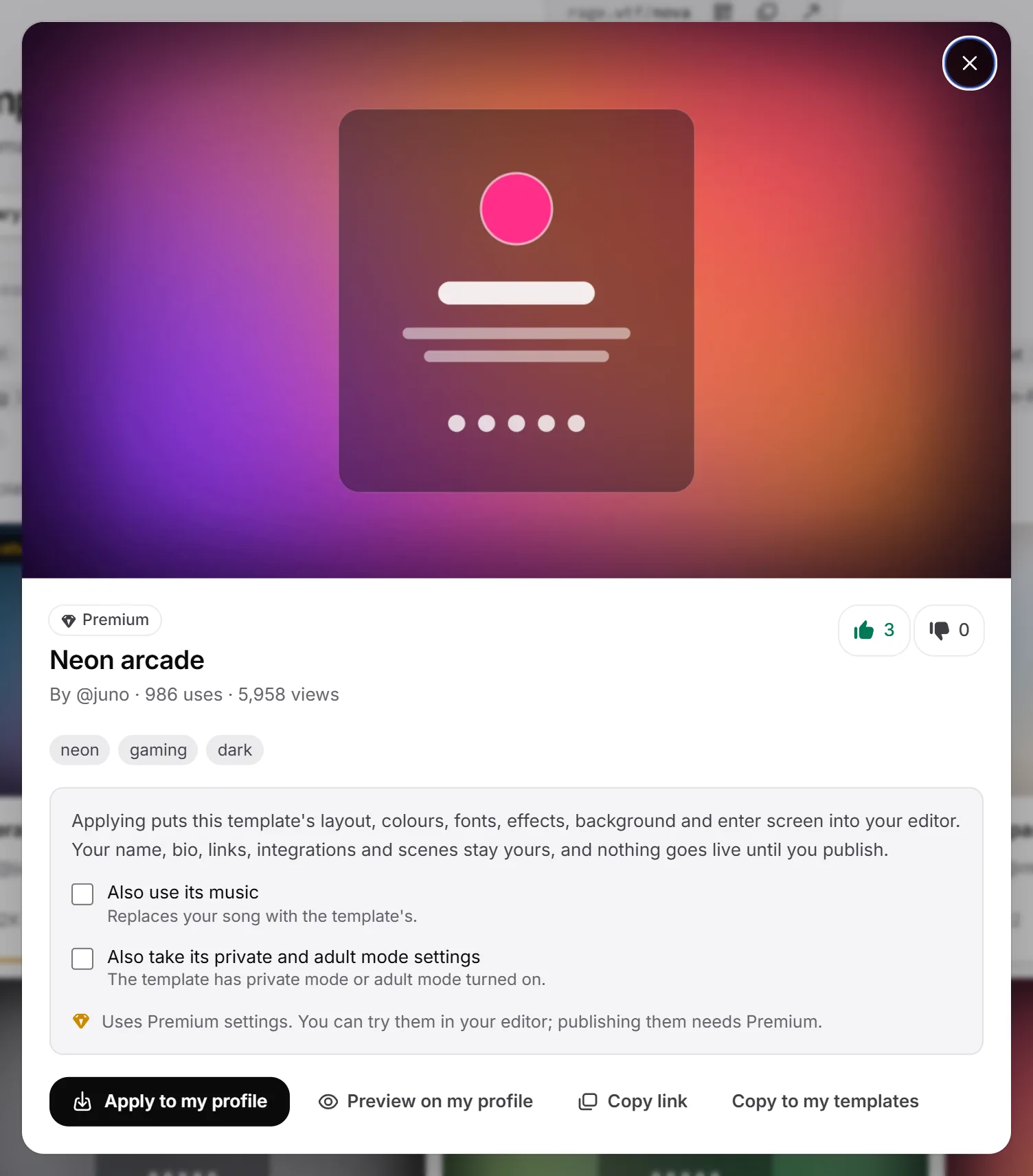
Click a card to open it. You see a bigger picture, the tags, the number of uses and views, and what applying will do. Click a tag to see other templates with that tag.
To share a template with someone, click Copy link. The link opens the template straight away for anyone signed in to RAGE.WTF, as long as it is public.
Preview it on your own page#
Click Preview on my profile. Your page opens full screen with your own name, bio, links and integrations, dressed in the template’s look and playing its music. A bar at the top says Previewing and the template name. Click Back to return to the template.
Nothing is saved while you preview. Premium settings are shown as they would look with Premium.
Apply a template#
- Open the template.
- Choose the optional extras (they only appear when the template has them):
- Also use its music replaces your song with the template’s.
- Also take its private and adult mode settings copies the template’s private mode, under construction and adult mode settings.
- Click Apply to my profile.
- You see a message that the template is in your editor. Click Open the editor, or Keep browsing to look at more templates.
- In the editor, check the result and click Publish when you are happy.
What a template changes#
- The layout (Default or Modern).
- What your card shows: username, avatar, views, join date and the RAGE.WTF watermark.
- The whole look for desktop and phone: colours, fonts, effects, background, card style, cursor, enter screen, tab title animation and modules.
- Only if you ticked them: the music, and the private, under construction and adult mode settings.
What stays yours#
- Your display name, bio and location (and whether the location shows).
- Your avatar picture.
- Your links, integrations, scenes and comments.
- Your link preview settings. Share titles, descriptions and images never travel with a template.
Templates with Premium settings#
A template marked Premium says “Uses Premium settings. You can try them in your editor; publishing them needs Premium.” Without Premium you can apply it and see everything in your preview. When you publish, RAGE.WTF lists the Premium settings so you can change them or get Premium. See Trying Premium settings.
Views and uses#
- A view counts when someone opens a template or previews it, at most once per person every 6 hours. The author’s own views don’t count.
- A use counts each time someone else applies the template.
Limits#
To keep things fair, each account can do these actions a limited number of times in 10 minutes:
| Action | Limit per 10 minutes |
|---|---|
| Apply a template | 15 |
| Like or dislike | 30 |
| Copy to my templates | 10 |
If you go over, you see “You’re doing that too often” with how long to wait.
Want to share your own look? See Publishing templates.