Your profile
Fonts
Choose one of 34 built-in fonts for your card, or upload your own TTF, OTF, WOFF or WOFF2 font with Premium.
Your font is used for your name, bio and everything else on your card.
Pick a font#
- In the dashboard, open Profile, then Look.
- Under Font, click a font. Each tile is written in its own font.
- Click Show all 34 fonts to see every font.
- Press Publish.
The default font is ClashDisplay.
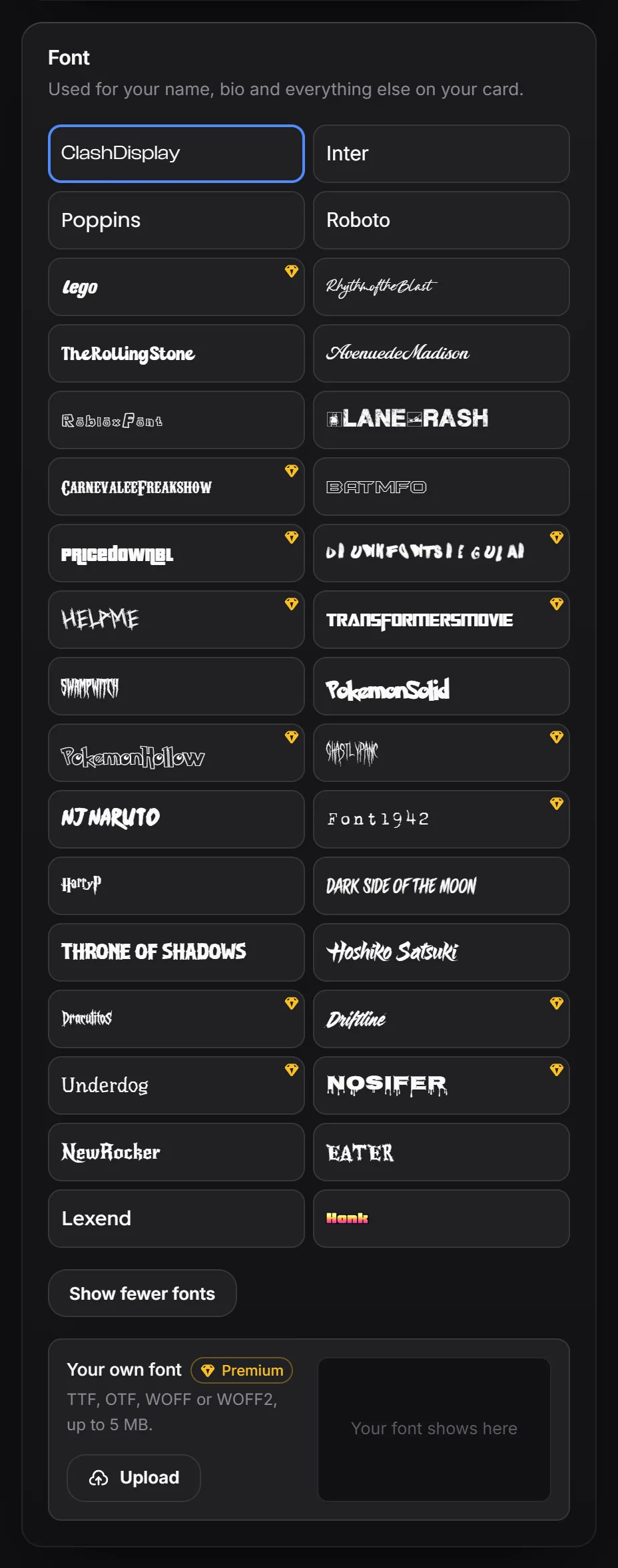
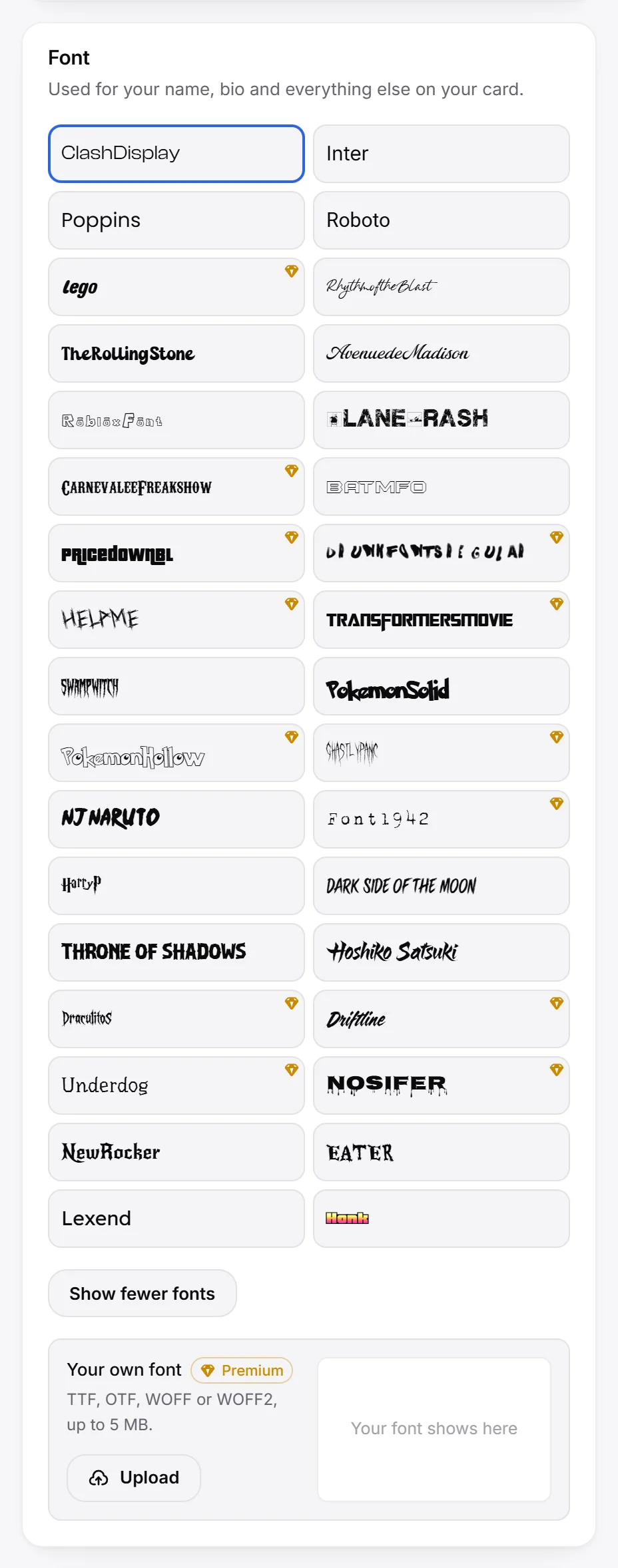
| Free fonts (21) | Premium fonts (13) |
|---|---|
| ClashDisplay, Inter, Poppins, Roboto, RhythmoftheBlast, TheRollingStone, AvenuedeMadison, RobloxFont, PlaneCrash, Batmfo, SwampWitch, PokemonSolid, njnaruto, HarryP, Dark Side of the Moon, Throne of Shadows, Hoshiko Satsuki, NewRocker, EATER, Lexend, Honk | Lego, CarnevaleeFreakshow, PricedownBl, DRUNKFONTSRegular, HelpMe, TransformersMovie, PokemonHollow, GhastlyPanic, Font1942, DraculitoS, Driftline, Underdog, Nosifer |
Premium fonts have a small gem in the corner of their tile. You can try them in your preview; publishing them needs Premium.
Upload your own font#
- Under Your own font, click Upload.
- Pick a TTF, OTF, WOFF or WOFF2 file, up to 5 MB.
- The box next to it shows “Aa Bb Cc” and your name in the new font.
- Press Publish.
Your own font replaces the built-in font you picked. To go back, click Remove, or click any built-in font.
Make sure you are allowed to use the font on a website before you upload it.
Fonts on phones#
Switch to Phone to use a different font on phones. See desktop and phone.