Getting started
Sharing your page
Copy your link, pick a domain or alias, and download a QR code for your RAGE.WTF page.
The share dialog gives you your link on any of our domains, with your username or an alias, and a QR code you can style and download.
Open the share dialog#
- On a computer: click the QR code icon in the link tab at the top of the dashboard.
- On a phone: on Home, tap the QR code button next to your link.
- Anywhere: press
Ctrl K(⌘ Kon a Mac) and choose Share my page.
On a computer it opens in the middle of the screen; on a phone it slides up from the bottom.
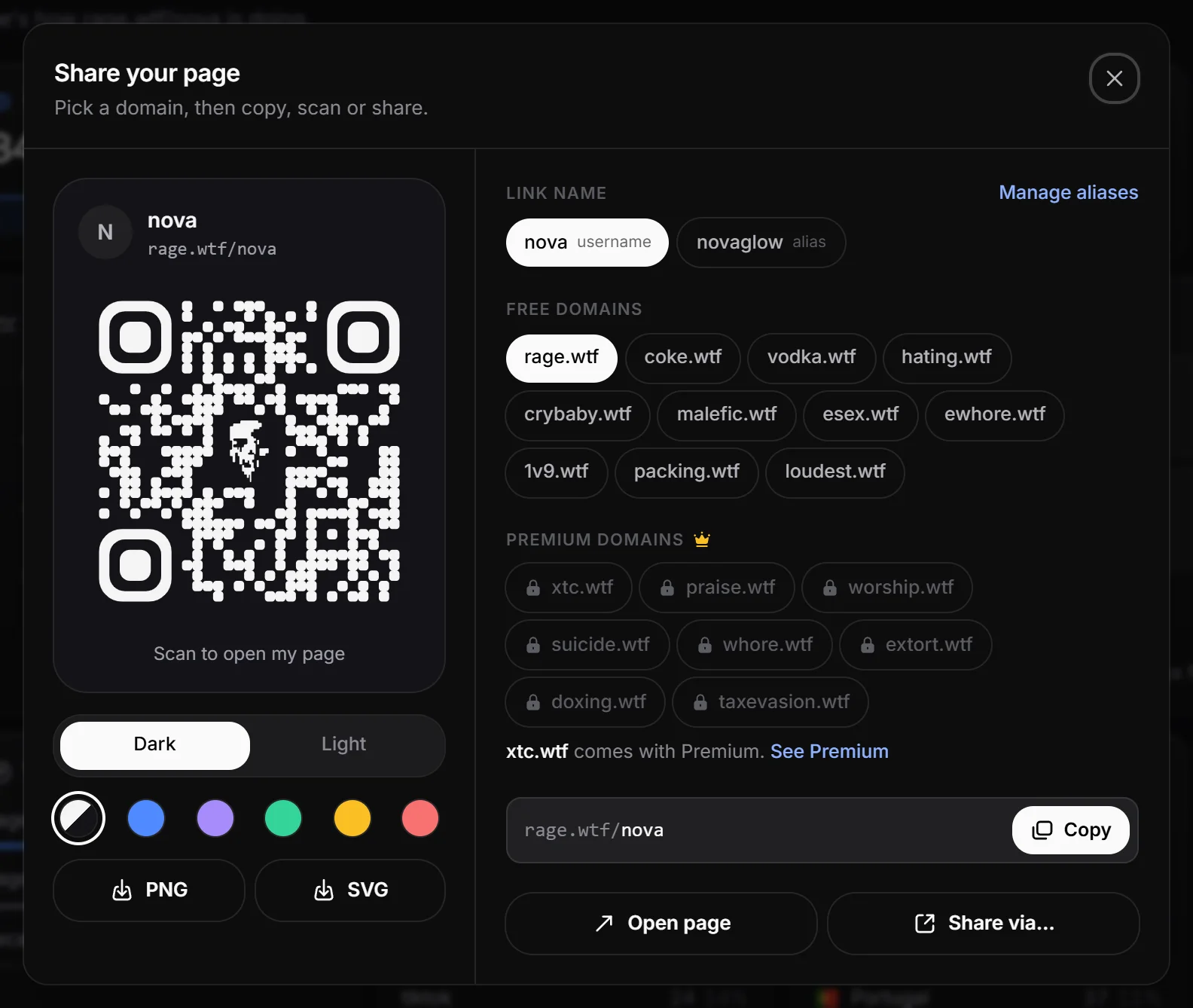
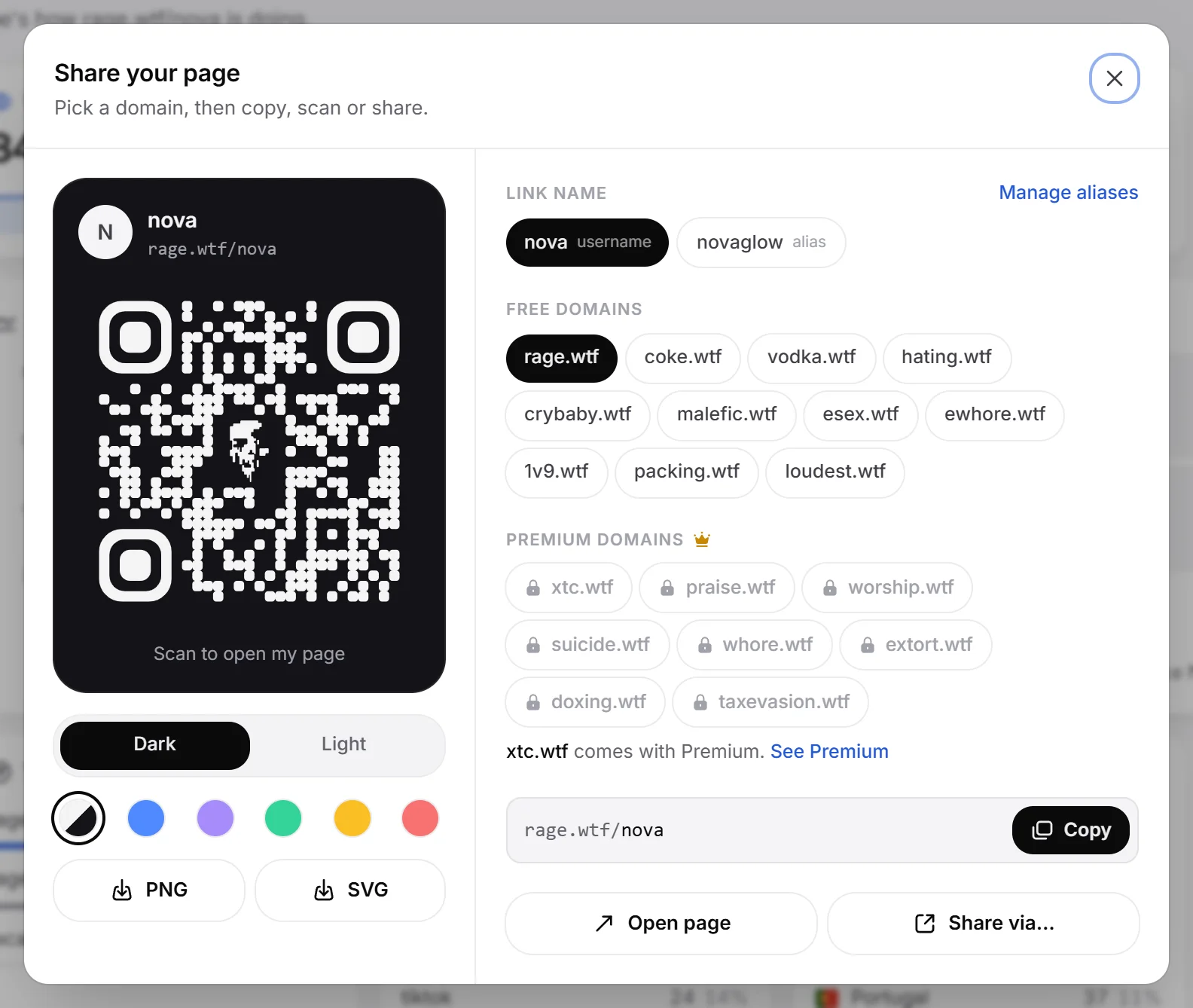
Pick your link#
- Link name: if you have aliases, choose your username or one of them. Without aliases you see Add an alias instead.
- Free domains or Premium domains: click the domain you want. The address updates right away.
- Click Copy, or Open page to check it. On phones and some browsers, Share via… opens your device’s share menu.
The dialog remembers your last choices on that browser.
Domains#
Your page works on every one of these, for example vodka.wtf/yourname.
| Free domains | Premium domains |
|---|---|
| rage.wtf, coke.wtf, vodka.wtf, hating.wtf, crybaby.wtf, malefic.wtf, esex.wtf, ewhore.wtf, 1v9.wtf, packing.wtf, loudest.wtf | xtc.wtf, praise.wtf, worship.wtf, suicide.wtf, whore.wtf, extort.wtf, doxing.wtf, taxevasion.wtf |
More about addresses in your page address.
Download a QR code#
The card on the left shows your avatar, name, the chosen address and a QR code that opens it.
- Choose a card style: Dark or Light.
- Choose a code colour: Default, Blue, Violet, Green, Amber or Red.
- Click PNG or SVG to download the code (1024 by 1024 pixels).
Where to share it#
- Your Discord “About me” or status.
- Your TikTok, Instagram, X or YouTube bio.
- Stream panels and video descriptions.
How your page looks when you paste the link into Discord or X is set in link previews.
To see which sites send you visitors, add ?utm_source= and a name to the links you post, for example rage.wtf/yourname?utm_source=tiktok. The names show under Top referrers on your dashboard Home.