Links, badges and integrations
Custom badges
Design your own badge with your own name and image using a badge token.
A custom badge has your own name and image. Only you can wear it, and it sits with your other badges on your page. Each new badge costs one badge token.
Get badge tokens#
| Pack | Price |
|---|---|
| 1 badge token | €4.49 or 45 Rage Tokens |
| 5 badge tokens | €19.99 or 200 Rage Tokens |
Buy them in the Store. Badge tokens can also be gifted. Your balance shows under Badge tokens at the top of the Badges page. See Tokens.
Create a badge#
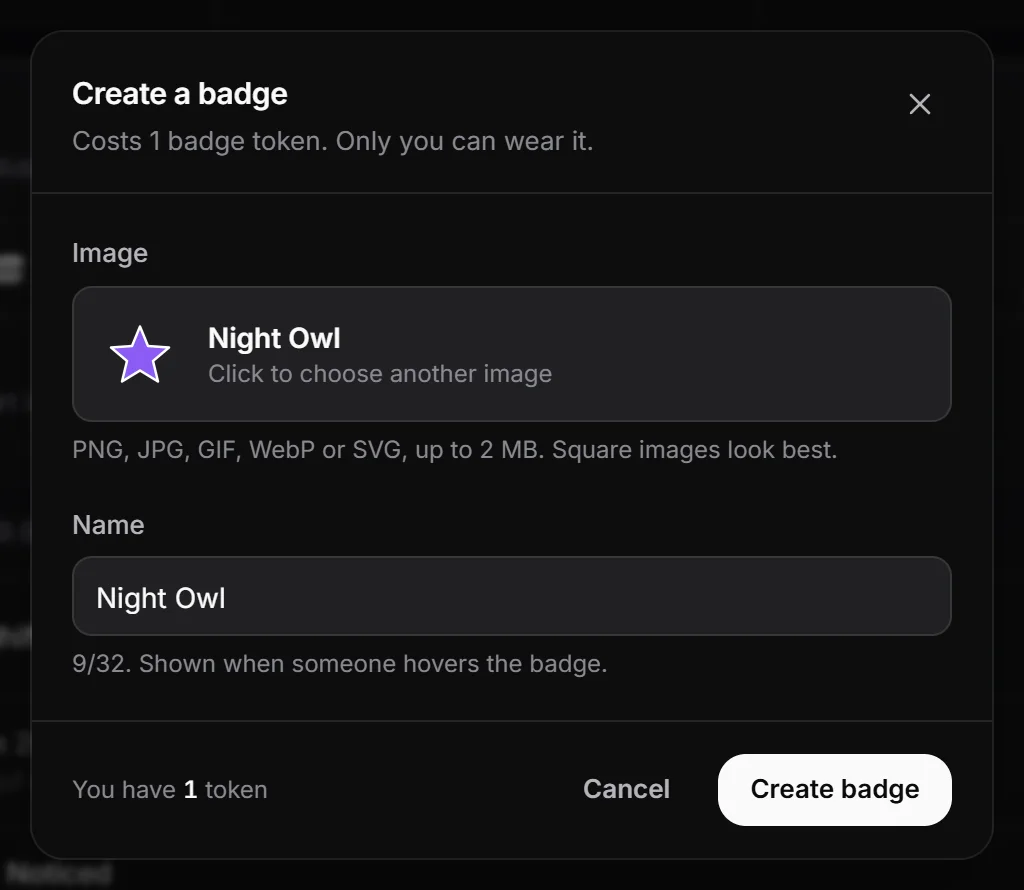
- In the dashboard, open Badges and click Create a badge.
- Click the image area and choose an image: PNG, JPG, GIF, WebP or SVG, up to 2 MB. Square images look best.
- Type a Name, up to 32 characters. It shows when someone hovers the badge.
- Click Create badge.
One badge token is used, and the badge shows on your page right away at the end of your badges.
Name rules#
- A name can’t be the same as an official RAGE.WTF badge, in any letter case.
- Extra spaces are removed.
- An image is required.
Edit a custom badge#
Editing is free and shows on your page right away.
- On the Badges page, click the pen button on your custom badge. It only shows on badges you made.
- Change the name, or click the image to choose a new one. Leave the image alone to keep the current one.
- Click Save changes.
Show, hide and reorder#
Custom badges carry a Custom chip in Your badges. Hide, show and drag them like any other badge. See Badges.